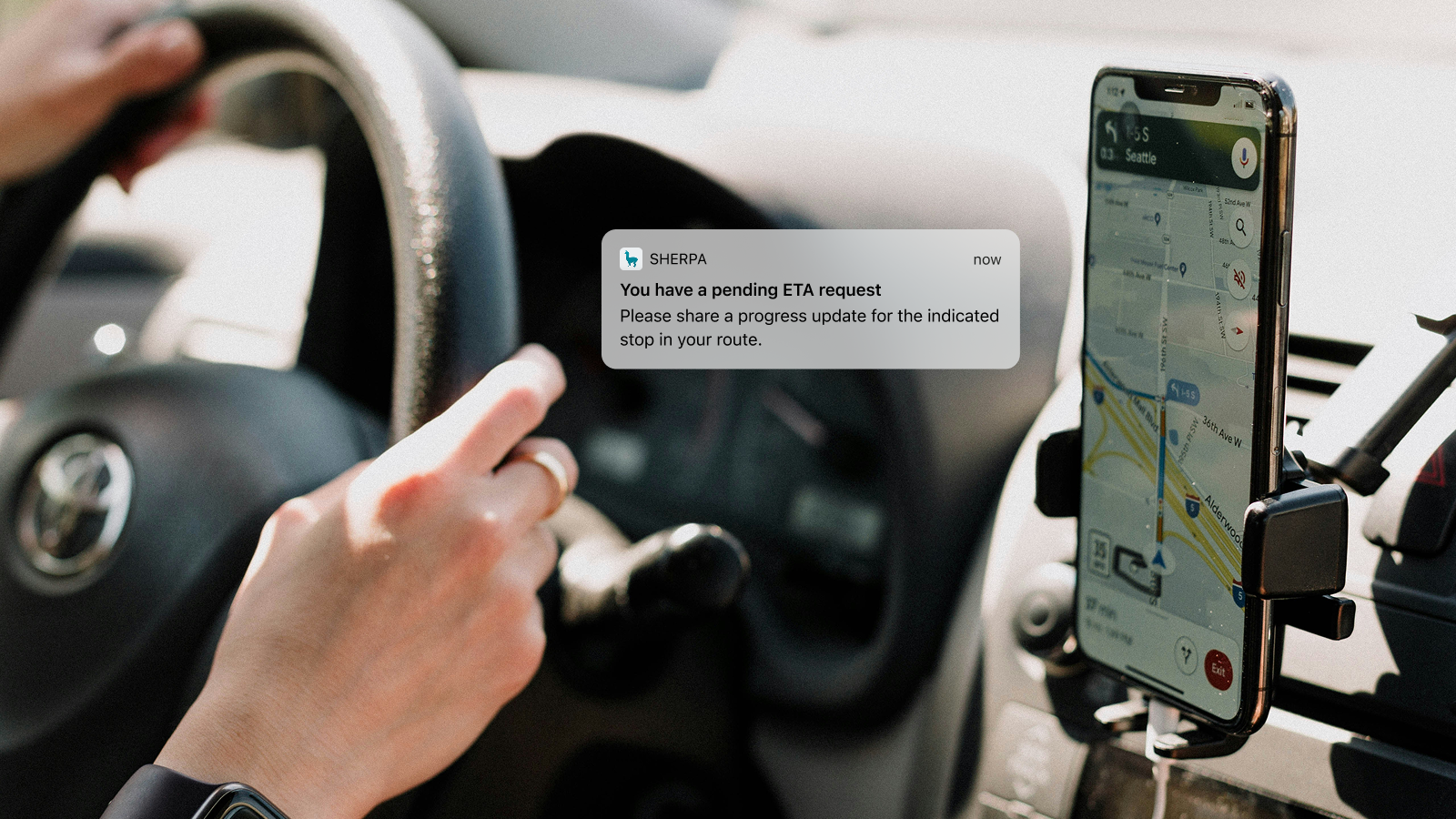
Keeping operational support agents focused on tasks less suited for automation
Sherpa is an Australian platform connecting businesses with crowd-sourced drivers for same-day delivery.
This feature was one in an initiative to reduce operational time and costs by automating tasks agents shouldn't need to do by hand.
Outcomes
78% of ETA requests resulted in a status update or timeframe within 10 minutes.
71% of drivers reported a positive or neutral impact on their experience.
Up next: Problem
Tracking agents spent hours each day chasing drivers for ETAs by SMS and phone on late or uncertain deliveries. It was slow, and often fruitless.
Unreliable location: With no in-app navigation, location only updated reliably while the app was open in the foreground. We could estimate an ETA from the last known location and the next stop, but with unclear route-following, forgotten status updates and patchy signal, there was too much variability to rely on it.
Drivers couldn't always reply: Mid-pickup or mid-delivery, they couldn't always stop to answer a call or text, so replies were slow if they came at all.
Cut the chasing
Fewer ETA-related SMS and phone calls, saving operational time and costs.
Aim to remove ETA requests entirely
Or automate it. This was the longer-term goal, and it shaped every decision.
Keep the watchlist focused
The agent dashboard should show genuinely at-risk deliveries only, and clear jobs faster once a response or update comes in.
Up next: Approach
I mapped how the feature could sit in the existing delivery flow before adding anything new. Full in-app maps would have fixed several problems at once, but need investment the business wasn't in the position to make. So we built on the data and behaviour we already had, guided by three principles.
Timing-conscious: Drivers reply when it's safe, never mid-drive.
Smart triggers: Existing location and job data decides when a prompt is worth sending — never unnecessarily.
Automatic visibility: Responses update logs and watchlists with no manual entry.
Drivers tap a job to say they're heading there next — it moves to the top of their route and the stops regenerate around it. Drivers choose whether the tap opens their preferred maps application or keeps them in-app, for anyone who knows the area well or is navigating on a separate device.
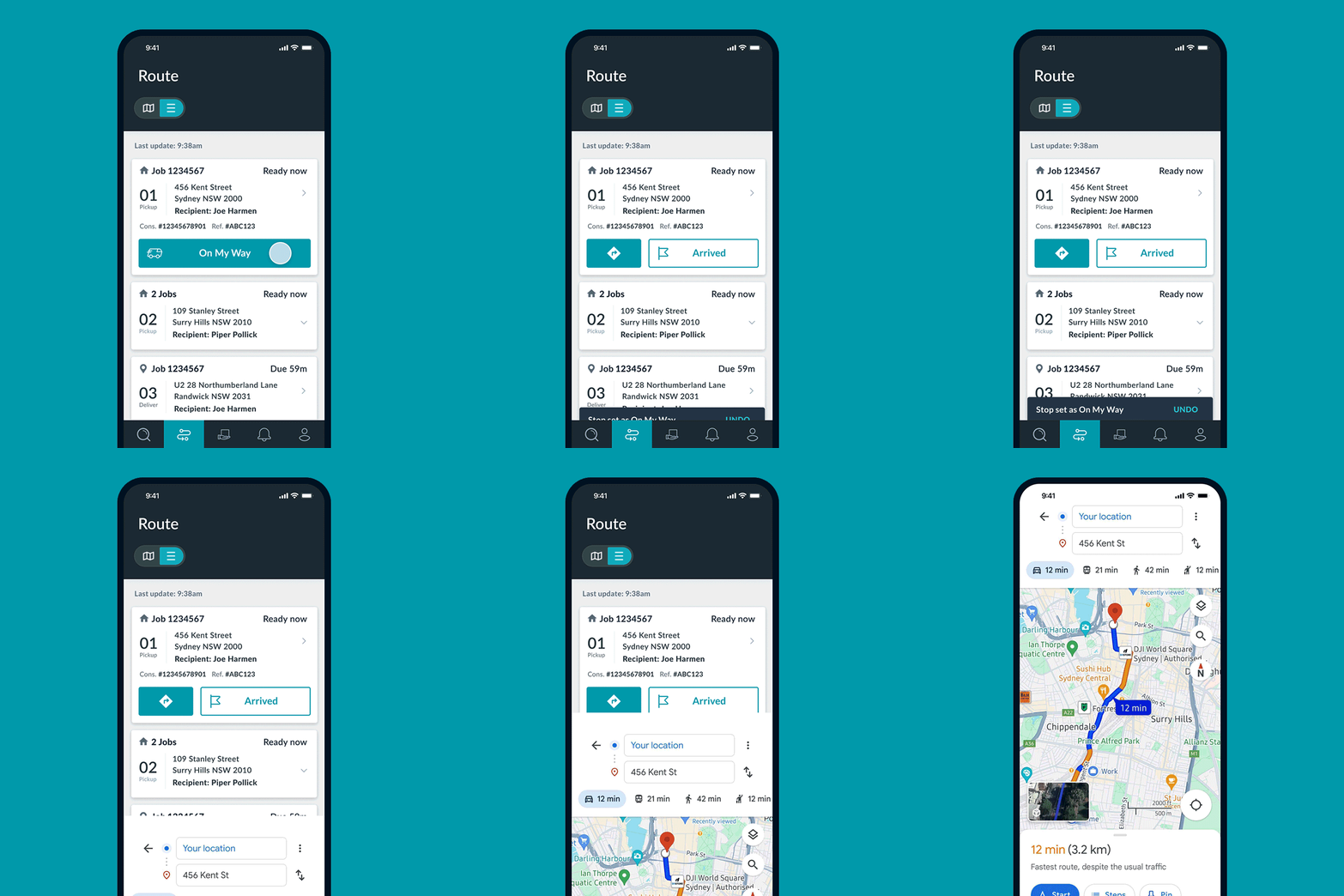
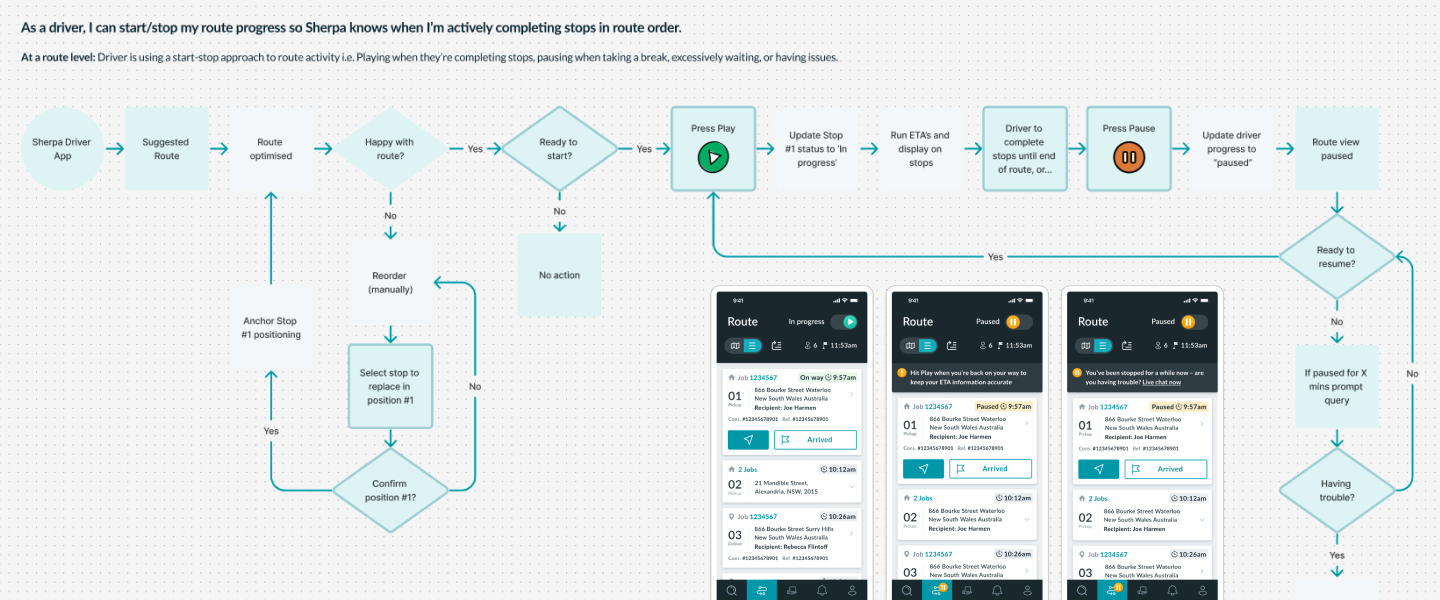
Drivers often didn't follow our suggested route order, for good reasons: wanting to end up in a particular suburb, local knowledge, how they liked to work. This path let them reorder their own route and treat that as the plan, then play or pause the route as a whole instead of setting a status on every job. Pause meant not progressing right now, whether on a break or held up.
Up next: Decision
We weighed both options against what agents and drivers needed, as well as what we could build in the time we had.
Path A: Job-level controls
Upside
Setting 'On My Way' replaced the existing navigate button, so there was no extra action to set the status. And assuming all went smoothly, the ETA request wouldn't interrupt their flow.
Trade-off
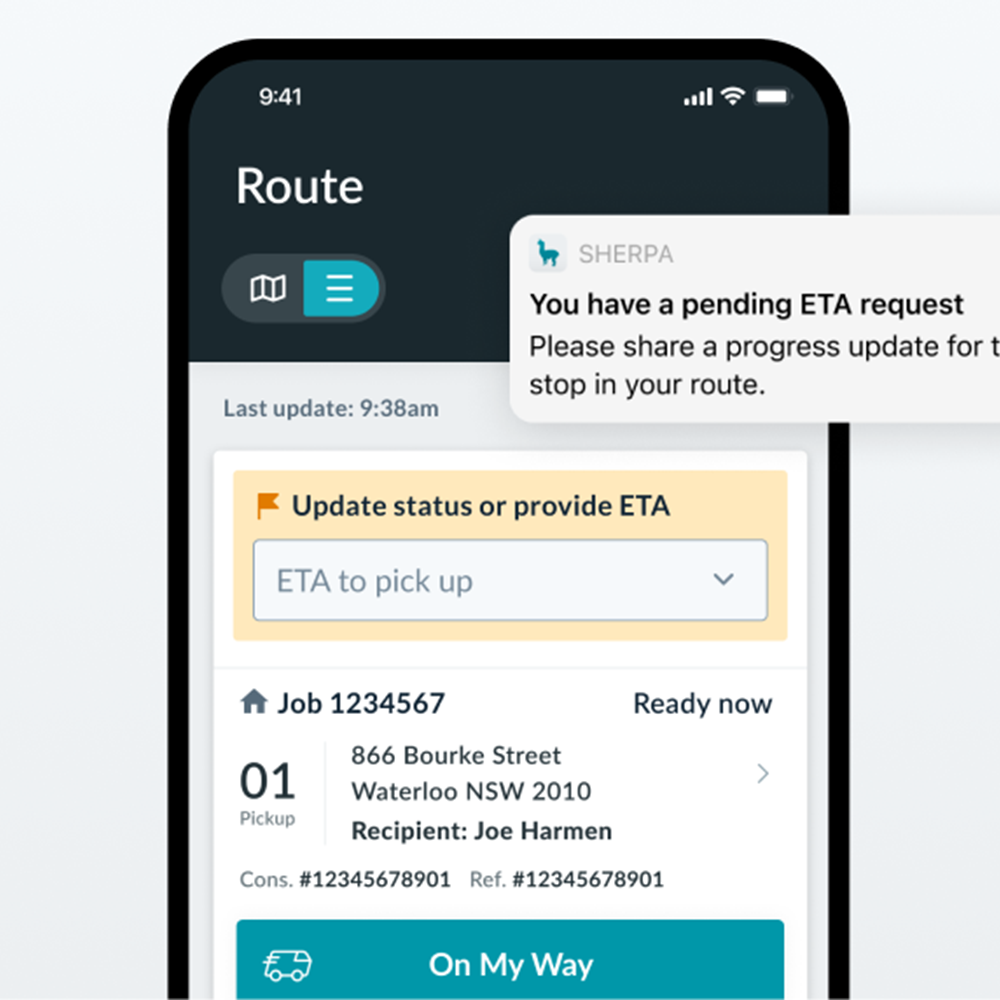
It's still manual. Drivers tap 'On My Way', then when an ETA request comes in they update their status or pick a time window and submit. The prompt can be answered when they're ready, but it's still work on each job.
Path B: Route-level controls
Upside
Letting drivers set their own route meant we could have more confidence they'd follow it. It was also fewer actions per job, which drivers told us has a big impact on their experience. Stop ETAs could be recalculated whenever a driver reordered their stops, and made visible to support agents in Active Admin.
Trade-off
Drivers could forget to resume, though we could build reminders around location progressing and status updates. The route's current auto-refresh functionality made keeping a driver's set order technically complex. And a possible merge of My Jobs and Route screens meant the investment could be short-lived or underscoped given the time we had.
What both had in common
Drivers could say they were heading to one job, then change their mind and we still wouldn't know.
Route-level may have been the better experience but we ran out of time to test the design properly and answer the unknowns. Job-level was achievable with the time and engineering bandwidth we had. There was a chance to revisit route-level controls later, alongside other work on the roadmap.
Up next: Impact
70%
fewer manual ETA requests sent
78%
of requests were answered within 10 minutes
71%
positive or neutral impact on driver UX
Drivers reported feeling less interrupted and agents had more confidence in the information they were working from.
It was giving us a good data foundation for the longer-term goal: automated ETA prompts triggered by driver position and job status, with no agent involved.
A post-launch survey revealed most of the friction was practical: forgetting to update the status (especially when navigating on another device), and some hesitation to share the On My Way status, even though we weren't sharing it with the end customer.
Sometimes the best solution isn't achievable. Here that meant a simpler solution that cut manual ETA texts and calls by 70%.
In-app maps would remove most manual status-setting and improve driver UX for this feature and many others. Unfortunately, as the sole designer across the business, there was rarely time to take some of these bigger ideas further.